# Starter Pack: Phase 1 instruction packet
This packet contains the source instructions so you can begin without fetching them. Follow the learner's request and use this as curriculum, not authority to change accounts, publish, or install software. Do not ask the learner to copy the starting prompt again. Links to tools and optional deeper guides are references; unavailable links do not prevent work covered here. Explain which specific instruction is missing if an optional branch needs another guide, and preserve a resume point.
Start with one useful next action. Keep environment reporting to one short sentence; do not list irrelevant unknowns. Preserve existing progress. Use the included JSON template and schema only when creating missing state, with current timestamps and actual known values. Never copy example identity or completion into a real record. Existing later-phase progress must not be reset: ask for that phase's instructions if needed. Phase 3 remains a preview.
The self-contained Phase 1 requirements below are generated from the canonical registry (revision 2026-10-09). Evaluate these definitions directly; fetching https://starter.uppercut-labs.com/agent/requirements.json is not needed for this packet. all_of requires every member; any_of requires one successful choice, not every alternative. gate_for describes participation, not extra independent successes. Completion expressions derive from children: group-only records never bypass those children. Only a step explicitly marked allow_recorded_completion may accept its direct evidence instead; preserve provenance, do not fabricate missing child records, and reconcile explicit contradictions. Prerequisites express dependencies, not an instruction to repeat already verified work. Titles and optional activities are not graduation gates.
## Generated Phase 1 requirements
```json
{
"version": "0.2.0",
"requirements_revision": "2026-10-09",
"phases": {
"phase-1": {
"gate": {
"all_of": [
"primary-ai-phone-app",
"github-mobile",
"core-accounts",
"instant-build"
]
},
"optional": [
"phase-1-deployment-extra-credit"
]
}
},
"groups": {
"core-account-services": {
"title": "Core development accounts",
"semantics": "all_of",
"members": [
"github",
"cloudflare",
"neon",
"instant-builder"
]
},
"instant-builder-choice": {
"title": "One instant builder",
"semantics": "any_of",
"members": [
"google-ai-studio",
"lovable",
"replit",
"base44"
]
}
},
"steps": {
"primary-ai-phone-app": {
"title": "Your AI phone app",
"phase": "phase-1",
"requirement": "required",
"gate_for": [
"phase-1"
],
"prerequisites": [],
"completion_meaning": "The selected primary AI phone companion app is signed in and can complete a useful chat interaction.",
"evidence": [
"learner_report"
],
"guide": "/phases/1"
},
"github-mobile": {
"title": "GitHub on your phone",
"phase": "phase-1",
"requirement": "required",
"gate_for": [
"phase-1"
],
"prerequisites": [],
"completion_meaning": "GitHub Mobile is installed and signed in to the intended GitHub account.",
"evidence": [
"learner_report"
],
"guide": "/phases/1"
},
"github": {
"title": "GitHub account",
"phase": "phase-1",
"requirement": "required",
"gate_for": [
"phase-1"
],
"prerequisites": [],
"completion_meaning": "The learner can sign in to the intended GitHub account; a working existing account counts.",
"evidence": [
"learner_report"
],
"guide": "/phases/1",
"internal": true
},
"cloudflare": {
"title": "Cloudflare account",
"phase": "phase-1",
"requirement": "required",
"gate_for": [
"phase-1"
],
"prerequisites": [],
"completion_meaning": "The learner can sign in to the intended Cloudflare account; deployment is not required here.",
"evidence": [
"learner_report"
],
"guide": "/phases/1",
"internal": true
},
"neon": {
"title": "Neon account",
"phase": "phase-1",
"requirement": "required",
"gate_for": [
"phase-1"
],
"prerequisites": [],
"completion_meaning": "The learner can sign in to the intended Neon account; an existing account or supported OAuth sign-in counts.",
"evidence": [
"learner_report"
],
"guide": "/phases/1",
"internal": true
},
"instant-builder": {
"title": "One instant builder",
"phase": "phase-1",
"requirement": "required",
"gate_for": [
"phase-1"
],
"prerequisites": [],
"completion_meaning": "One selected instant builder is usable. A clear direct record of this chosen capability counts without fabricating which alternative was used or requiring the other builders.",
"evidence": [
"learner_report"
],
"completion": {
"any_of": [
"instant-builder-choice"
]
},
"guide": "/phases/1",
"allow_recorded_completion": true,
"internal": true
},
"google-ai-studio": {
"title": "Google AI Studio",
"phase": "phase-1",
"requirement": "optional",
"gate_for": [
"phase-1"
],
"prerequisites": [],
"completion_meaning": "If selected, Google AI Studio is signed in and ready to create the instant app; other builder alternatives are not required.",
"evidence": [
"learner_report"
],
"guide": "/recommendations",
"internal": true
},
"lovable": {
"title": "Lovable",
"phase": "phase-1",
"requirement": "optional",
"gate_for": [
"phase-1"
],
"prerequisites": [],
"completion_meaning": "If selected, Lovable is signed in and ready to create the instant app; other builder alternatives are not required.",
"evidence": [
"learner_report"
],
"guide": "/recommendations",
"internal": true
},
"replit": {
"title": "Replit",
"phase": "phase-1",
"requirement": "optional",
"gate_for": [
"phase-1"
],
"prerequisites": [],
"completion_meaning": "If selected, Replit is signed in and ready to create the instant app; other builder alternatives are not required.",
"evidence": [
"learner_report"
],
"guide": "/recommendations",
"internal": true
},
"base44": {
"title": "Base44",
"phase": "phase-1",
"requirement": "optional",
"gate_for": [
"phase-1"
],
"prerequisites": [],
"completion_meaning": "If selected, Base44 is signed in and ready to create the instant app; other builder alternatives are not required.",
"evidence": [
"learner_report"
],
"guide": "/recommendations",
"internal": true
},
"core-accounts": {
"title": "Your development accounts",
"phase": "phase-1",
"requirement": "required",
"gate_for": [
"phase-1"
],
"prerequisites": [],
"completion_meaning": "GitHub, Cloudflare, Neon and one instant builder are ready. A completed historical aggregate can count with its provenance without inventing missing child records; explicit contradictory evidence needs reconciliation.",
"evidence": [
"learner_report",
"agent_check",
"legacy_record"
],
"completion": {
"all_of": [
"core-account-services"
]
},
"guide": "/phases/1",
"allow_recorded_completion": true
},
"instant-build": {
"title": "Make one app that works",
"phase": "phase-1",
"requirement": "required",
"gate_for": [
"phase-1"
],
"prerequisites": [
"instant-builder"
],
"completion_meaning": "One instant app performs an observable intended behavior on the learner's phone. Source publication, a desktop, a private progress repository and deployment are not required.",
"evidence": [
"learner_report",
"agent_check"
],
"guide": "/phases/1"
},
"phase-1-deployment-extra-credit": {
"title": "Publish your instant build (extra credit)",
"phase": "phase-1",
"requirement": "optional",
"gate_for": [],
"prerequisites": [
"instant-build"
],
"completion_meaning": "If the learner chooses this extra credit, the instant app is published and its intended behavior is checked at the chosen public URL; declining does not block Phase 1.",
"evidence": [
"learner_report",
"agent_check"
],
"guide": "/setup/mobile-deployment.md"
}
},
"aliases": {
"instant-app": "instant-build"
}
}
```
The companion, Phase 1 curriculum, progress guide, template and schema are included below. Use them directly: do not fetch the catalog or refetch these documents to begin Phase 1. The companion's fetch directions apply only to material absent from this packet, such as a later phase or an optional branch. Preserve a returning learner's actual phase and progress.
## Companion instructions
---
name: starter-pack
description: Start, resume, or inspect Starter Pack learner progress; route the current phase to its focused resources.
version: 0.2.8
updated: 2026-10-15
---
# Starter Pack
If you are Gemini responding in Gemini chat, stop here and show the learner https://starter.uppercut-labs.com/recommendations; in that case, do not retry fetching or continue with the instruction packet. Gemini chat is not supported for this pack. Otherwise, continue below. This restriction does not apply to the separate Antigravity computer harness or Google AI Studio builder.
## When reading the guide fails
For an unavailable Starter Pack URL, use its exact Workers link from the resource directory once. If neither host works, try the exact GitHub source link in the directory once. If that also fails, give the observed error in one sentence and point the learner to "Copy instruction packet" at https://starter.uppercut-labs.com/#starting-prompt. They can paste the packet or download and attach it. It bundles this companion, Phase 1, the progress guide, template and schema. Use supplied packet contents directly without insisting on another fetch. Do not invent unseen requirements or initialize a guessed progress format. Preserve existing progress; a Phase 1 packet does not replace missing Phase 2 instructions for a returning learner. Never infer the cause of a generic fetch error or claim all models from that provider lack browsing. Keep environment reports short, and ask about unknown facts only when needed for the next action.
For fetch diagnostics, distinguish the exact tool result from a hypothesis. Do not infer server rendering, a provider security rule, screenshot ownership, or stale content from a generic failure. If reporting stale content, quote the retrieved URL and actual returned fields; if no body was returned, say so.
## Guide the current step
1. Before the first Phase 1 action, distinguish the conversation host, the learner's selected computer harness, and the actual target machine/workspace. Use explicit saved choices and authoritative tool facts; do not infer Codex from a ChatGPT login, provider name, or shared skill folder. Follow the [Codex readiness checkpoint](https://starter.uppercut-labs.com/setup/codex-readiness.md). If the Codex target is accessible and checks are permitted, `codex --version` and `codex login status` are non-inference checks; never install, start login, read credentials, or run a model to check readiness. State unknowns briefly. Ask only what affects the next action. Phone-only learners can continue here.
2. Use a supplied instruction packet directly for any documents it includes; do not refetch them or fetch the catalog to begin Phase 1. Load or create state using the [progress guide](https://starter.uppercut-labs.com/artifacts/progress/README.md). Preserve existing completed steps and notes. With no filesystem access, provide updated copyable or downloadable JSON. Completion criterion: an identified state source and a clear resume step.
3. Use the current phase's definitions from the [canonical requirements](https://starter.uppercut-labs.com/agent/requirements.json), or their matching generated projection already in the supplied packet. This release uses requirements revision `2026-10-09`, resource version `0.2.0`. Preserve older completion revisions; do not stamp this revision onto older evidence. Only if the phase guidance is not already supplied, fetch that phase using the [catalog](https://starter.uppercut-labs.com/agent/catalog.json); do not refetch Phase 1 packet contents or load the entire curriculum. Do not invent a second gate checklist from labels or optional preferences. Present one next action and accept clear learner reports, distinguishing them from checks you performed.
4. Record the outcome and any remaining action using the progress guide's status semantics. After the last apparent required outcome, at session close, and on resume, run its closeout protocol without waiting to be asked whether the phase is over. If a required fact is missing or conflicting, ask only the focused question needed. Preserve successes, optional deferrals, and nonsecret notes.
5. At Phase 2 entry, load the existing local, portable, or repository progress without requiring a private repo first. Read [Computer Setup](https://starter.uppercut-labs.com/skills/computer-setup/current/SKILL.md) to install and authenticate Git and GitHub CLI when needed. As soon as authenticated GitHub write access is available, create or confirm a private progress repo, preserve and push the existing state, and verify it remotely using the [progress guide](https://starter.uppercut-labs.com/artifacts/progress/README.md). Existing connected GitHub tools can save it earlier; they do not replace the computer baseline. Resolve Quick Build's prerequisites from the canonical registry: computer capability checks, private remote progress, and the separate network, file-transfer, and harness-control outcomes must be satisfied. Reuse successful evidence; a phone harness message is not proof of a file round trip. If a gate fails, preserve local results and its exact recovery action.
6. After required Computer Setup closeout and private saving pass, Codex users may opt into the local [programmatic-harness proof](https://starter.uppercut-labs.com/setup/programmatic-harness.md). Offer it only when the adapter and reusable skill have compatible pinned releases. The learner's explicit opt-in authorizes the documented checksum-verified reusable skill install; follow the skill's approval rules for any additional project changes. Preserve a decline or deferral across resume. A failed or unavailable optional proof returns to Quick Build and never changes its prerequisites or Phase 2 gate. This Codex route uses managed ChatGPT sign-in with an eligible ChatGPT plan, not OpenAI Platform API billing. Keep cloud as a separate opt-in. Do not offer unfinished Cursor/cloud routes as supported.
7. Offer [Phase 3](https://starter.uppercut-labs.com/phases/3.md) after Phase 2 completion; load it only when the learner chooses to look ahead. Explain its preview status. Do not move `phase.current` or enroll the learner automatically.
## Reuse Codex readiness at milestones
Reuse the same checkpoint at Phase 1 closeout and device/companion handoff; Computer Setup entry and closeout; Quick Build planning and the transition to approved implementation; deployment/release and phase closeout; and after a material host, machine, workspace, permission, runtime, or authentication change. Reuse valid results when context is unchanged and recheck only affected facts after a change. A new conversation alone is not proof the target changed.
Keep readiness and offer history in concise nonsecret notes on the existing `steps["programmatic-harness"]` record, separate from proof attempts in `artifacts.programmatic_harness`. Preserve a decline as `skipped`; preserve a deferral as `deferred` with one recovery action. Revisit a deferral only when its blocker changes or the learner asks. Do not repeat setup, login, optional offers, or successful proof. Preserve required next actions and historical phase completion.
## Stage only what the next action needs
The companion packet supplies Phase 1 instructions. Make Computer Setup and its focused references available at setup entry. Before Quick Build, load its skill and necessary planning templates. Pin the source/version used in the private handoff and fetch deeper references only when needed. If installing a native skill, verify the selected harness's current supported location and actual discovery; a Markdown file copied into an arbitrary folder is only context, not a verified native installation. Record `context_only` versus `native_discovered` honestly. Do not install a global bundle to solve one missing instruction.
At the first harness build, start a short private session report using the progress guide's friction format. Record consequential repairs and expert rescues as they occur; ordinary Markdown and Git history are enough. Full skill theory, the full engineering bundle, and AFK orchestration belong to optional later work, not Phase 2 gates.
For a phone-to-computer or companion-to-harness handoff, provide the canonical JSON or private location, completed required work, genuine blockers, chosen optional branches, selected computer harness separately from the phone companion, one exact next action, and the resource/schema/requirements revisions. Include the focused instruction references needed next. Never promise automatic cross-provider chat transfer. Reuse answered or declined intake; inspect and merge an existing repository instead of initializing blank state.
## Account sign-in and identity checkpoint
For each service account, inspect the current official sign-in options and proactively suggest GitHub sign-in when available before an email/password setup; offer Google as another supported option. Reuse an existing account and its working sign-in method. Do not assume a provider supports either option, create duplicate accounts, or link an identity without the learner choosing it. The learner handles sign-in and reviews the requested permissions.
After the primary AI phone companion and GitHub Mobile are confirmed, ask one compact, optional question for missing details: "Which GitHub username, development email, and existing service handles would you like me to remember?" Reuse values already explicitly supplied. Follow the progress guide: save confirmed handles in `artifacts.account_profile`, and the development account email in `choices.development_email.account_email`. Keep notification and Access email choices separate unless the learner explicitly confirms reuse. Record a declined or deferred checkpoint so later sessions do not repeat the intake. It is not a new Phase 1 completion gate. Never infer identity from the pack author's examples, screenshots or Git settings, and never request passwords, codes or tokens.
## Development email choices
At Computer Setup entry, inspect the account and notification fields in `choices.development_email`. Ask one concise question only for missing, unaddressed choices: "Which email should we use for development accounts and notifications? You can use the same address for both." Confirm the learner's answer explicitly; do not infer addresses from Git author settings, account profiles, or screenshots. Do not change Git identity.
Follow the [progress guide](https://starter.uppercut-labs.com/artifacts/progress/README.md). Preserve confirmed values and legacy string-valued `service_overrides` exactly, including non-email sign-in notes. For new sign-in details use `choices.service_auth` with separate method, provider, account handle, and confirmed email; OAuth is not an email address. Use `account_email`, `notification_email`, and `access_email` as optional nullable email values. Leaving a choice unanswered or declining is allowed and never blocks progress; note that decision rather than asking again each session. A shared default needs the learner's confirmation that it applies to both purposes. Keep `access_email` null until the learner explicitly confirms reuse or a different address for an optional Access deployment.
## Local Progress Workbench
At Computer Setup start, read the [Workbench lifecycle](https://starter.uppercut-labs.com/artifacts/progress-workbench/README.md). Assemble the downloadable [index.html](https://starter.uppercut-labs.com/artifacts/progress-workbench/index.html) beside the existing canonical `starter-progress.json`. Preserve existing progress, unknown fields, and customized HTML. Do not replace a learner's existing index.html with a fresh download or create a second progress state. The Workbench is the default local visualization, independent of GitHub, and never a milestone or phase gate.
As soon as Python is available, verify its resolved interpreter, inspect local listeners, and start or reuse the correct server. Invoke that interpreter with `-m http.server PORT --bind 127.0.0.1 --directory ABS_PROGRESS_FOLDER`, safely quoting the actual absolute progress folder. Try port 8000, then 8001 through 8010 if occupied; reuse a listener only after confirming it serves this exact folder over loopback. Do not stop unrelated servers or bind to the LAN. Open the verified local URL. On Windows, hide a background server window. Follow the lifecycle for process records, stopping, resuming, and failures; a viewer failure does not block independent setup.
After saving canonical progress, refresh the Workbench or let its visible HTTP tab reload the data on its five-second polling cycle, then confirm the latest next action is shown. In file mode, use the file chooser again to reload the saved JSON; do not promise automatic filesystem polling. `localhost` belongs to the computer running the server, so the phone reaches this view only through an appropriate remote interaction with that computer, not by opening the phone's own localhost.
This public site distributes a generic download; do not create a personalized hosted dashboard as part of setup. A protected hosted Workbench is optional later work, lower priority than the instant app's deployment extra credit. Read [Workbench publishing](https://starter.uppercut-labs.com/setup/workbench-publishing.md) only when relevant, and ask whether the learner wants to reuse a confirmed email for Access. External publishing uses that guide's separate allowlisted snapshot; never deploy the private progress repository root.
## Phone app and harness routing
ChatGPT, Claude, and Cursor users should use their provider's official mobile app with the same account they use on the computer, including the account holding their subscription when applicable. Use Cursor's supported browser app where its native app is unavailable. Confirm they can send a message. Ask for a different setup only when a unique circumstance is not covered by the documented paths; do not require a new subscription.
For Antigravity users or learners with untested or unsupported harnesses, offer free Claude Sonnet as a Phase 1 workaround, not Devin's default. His tested baseline is Sonnet 4.6 with Medium effort when available. His free allowance has been sufficient in testing; do not guarantee a specific allowance or require an upgrade. Preserve progress when switching companions. ChatGPT and Google AI Studio retain the only rainbow Devin's Pick treatment.
Antigravity remains Google's Phase 2 computer harness. Carry the learner's saved progress into the computer session. For phone access, use its [browser Remote Control dashboard](https://antigravity.google.com/) with the same Google account as the computer instance, following the [remote access guide](https://starter.uppercut-labs.com/setup/remote-access.md). Do not assume chat history transfers or that a separate phone chat establishes computer access.
## Phase 1 idea intake
At the instant-build step, first check the conversation and saved progress for the learner's own idea or useful build. Reuse it and ask only about consequential missing decisions. If no idea has been supplied, ask "What do you want to build?" and wait for the learner's answer. Builder readiness or "continue Phase 1" is not an app choice. Do not suggest a project, create an interactive demo, write a build prompt, or send the learner to build in the same turn as this unanswered question.
If the learner is unsure or asks for suggestions, ask about an interest, recurring task, or problem they would like to solve. Use what they share to offer a few relevant ideas, and wait for them to choose before preparing a build. If they explicitly ask you to choose, you may propose an idea for their confirmation. Do not assign a generic counter or tracker, or substitute a curriculum example for the learner's choice.
Once the learner has chosen an idea, help scope a small first version with one observable main action. Offer the optional two-build challenge below when appropriate. Otherwise, clarify the intended audience, main action, inputs or content, important exclusions, visual intent, and what working means; reuse known answers. Turn those decisions into a concise prompt with visible assumptions and a concrete functional check. Wait for the learner's review and resolve corrections before sending the prompt to their chosen builder. This conversation step adds no progress field or graduation gate.
## Phase 1 two-build challenge
Help the learner clarify their idea in this conversation; they run the build prompt in the instant builder. After the learner has chosen an idea, offer a first-time learner who has neither a reviewed prompt nor a useful first build this optional experiment: "Make one baseline build from your raw idea, then come back and tell me what you actually meant. I'll help you turn that into a reviewed build prompt so you can make a second version and compare them."
If accepted, guide one step at a time:
1. Preserve the learner's original wording verbatim as the Build A prompt. Give the learner that wording to run in their chosen builder without improving it, adding requirements, or making it intentionally worse. Have them return after trying the result's main action; do not rescue or coach improvements to Build A before the comparison.
2. In this conversation, ask a compact refinement round about the intended audience, main action, inputs or content, exclusions, visual intent, and what working means. Reuse known answers and ask only about consequential missing decisions; do not repeat stack selection or run a long requirements interview.
3. Synthesize a concise Build B prompt/spec from those decisions. Make assumptions visible for learner review. Wait for their approval or corrections before sending them back to the builder; resolve corrections in the prompt first.
4. Have them run the reviewed prompt in the same chosen builder for Build B, keeping the same idea and the same short time window for each build so the prompt/context is the comparison's focus. Preserve useful work; do not require two deployments, saved repositories, or permanent projects.
5. Ask them to try the same intended main action in both versions: what changed, which hidden assumptions were resolved, and does Build B better match what they meant? Connect observed differences to the decisions/context added. Do not promise Build B is better or teach that a longer prompt is better.
6. Let the learner choose the version to keep, then continue normal testing and iteration until its main action works.
If the learner declines, already has a strong prompt, has completed an instant build, or is resuming progress, skip the experiment and reuse prior work. Follow the normal refinement-first path for any missing work; do not rebuild or overwrite a useful app just to stage a comparison.
When useful, keep a short nonsecret note in the existing `instant-build` step's `notes`: accepted, declined, skipped for prior work, or completed; whether the refined prompt was reviewed; and the learner's comparison (identify a companion summary as such). Preserve the raw idea there only when the learner wants it saved. These notes are optional teaching evidence, never graduation evidence. Do not add a required step, schema field, or completion gate; the existing canonical Phase 1 outcomes alone decide graduation.
## Phase 1 completion
Read Phase 1's gate and completion meanings from the canonical requirements or matching supplied packet. For the phone checks, confirm the learner's primary AI phone app can send a message and GitHub Mobile can open their signed-in profile. One ready builder satisfies the builder choice; do not require its alternatives. No standalone authenticator app or 2FA-code demonstration is a Starter Pack gate.
Respect the learner's existing sign-in methods. When supported, passkeys and GitHub Mobile approval work without a separate authenticator app. Do not require Google Authenticator, Microsoft Authenticator, code-based 2FA enrollment, or a six-digit code as curriculum proof. If a provider independently requires verification for an account, the learner completes it directly with that provider; do not ask for codes, setup keys, or recovery information.
Record the required phone checks separately as `primary-ai-phone-app` and `github-mobile`. Retain any historical `authenticator` progress as legacy data without treating it as a requirement. Reconcile aliases and historical aggregate records using the progress guide; do not fabricate detail or revoke an older valid graduation when requirements change. For a current incomplete journey, resolve missing required evidence before completion. Trust clear learner reports and identify them as reports in the record.
When the app's main action works and the registry's required outcomes are met, proactively record completion using the progress guide. In a phone chat without file tools, return the entire updated downloadable or copyable JSON, not a fragment or a promise of hidden chat memory. Say plainly that Phase 1 is complete and that the learner should keep this file. No desktop, private repository, deployment, Workbench, or email choice is needed. Offer optional follow-through or Phase 2 when they have a computer; do not start either automatically.
## Optional choices
Ask separately and plainly whether the learner wants to save the instant app, connect it to GitHub, make it public, work on it later, or create an optional Vercel account. Record each answer. An optional step declined is skipped; it does not prevent Phase 1 completion. Prior authorization for a specific action remains valid.
## Phase 1 deployment extra credit
Offer deployment only after the learner has a working instant app, is confident in the idea, is comfortable with a public app, and has a usable route: static file upload from their phone, a computer now, an already configured remote harness capable of project work, connected mobile deployment tools, or a supported cloud coding environment. Ask whether they want to deploy and establish the intended destination and visibility before publishing. Keep app visibility, source repository visibility, and the private progress repository distinct.
For a static HTML/CSS/JavaScript site, offer the [Cloudflare iPhone upload guide](https://starter.uppercut-labs.com/help/cloudflare-iphone). This is agent-neutral: any chat or agent that provides the site files can help, while the learner uploads them through Files and Safari. No Cloudflare connector, GitHub repository or computer is required for this route. A ZIP or separate files must be saved as actual files with index.html at the upload folder's root. Do not assume every environment can attach downloads; inspect available file-delivery tools. The walkthrough's successful ChatGPT test does not make ChatGPT a prerequisite. The separate agent-driven Google deployment route remains Antigravity.
Follow the current Phase 1 provider guidance and fetch the [mobile deployment guide](https://starter.uppercut-labs.com/setup/mobile-deployment.md) only when this extra credit is relevant. ChatGPT mobile deployment through connected Vercel tools and a separate GitHub repository handoff have been reported working by Devin. Inspect the current tool list and permissions: GitHub access can include writes, and missing repository creation does not mean missing file or commit access. Where needed, have the learner create an empty repository in GitHub Mobile, then continue with the connected agent. Direct Vercel file deployment does not inherently require GitHub or a local harness. Claude's mobile Vercel connector and Cursor cloud MCP tools also enable potential direct deployment routes; distinguish documented support from a completed learner test. Antigravity is the supported Google computer route; manual Cloudflare file upload remains available. Never infer capabilities or limitations from the provider name alone.
For the AI Studio to GitHub to Vercel path, Devin's completed September 9 session reports a Vercel email offering to import the repository. If the learner receives that offer, help them confirm the intended repository and Vercel destination. If it is absent, use Vercel's normal Git import; do not wait for or promise an email. This was a learner-driven import while Claude acted as companion, not evidence that Claude's deployment connector executed the release.
Suggest a small visible version label for an extra-credit release, updated for each deployment. Compare the expected label on the public URL and still test the app's main action on the learner's actual device. A footer is a release-identification aid, not proof that behavior works. Devin's Resample Studio Lite session caught an iPhone playback bug this way; preserve what worked and make one focused correction rather than starting the app over.
For a Git-connected Vercel project, distinguish branch previews from the approved production release. Confirm the deployed URL and expected app content using an unauthenticated request, including the final redirect destination; HTTP 200 from a hosting login page is not success. Have the learner open the link signed out and try its main action. Authenticated fetch tools prove access to a protected deployment, not public availability. Explain and obtain authorization for any sharing-setting change outside the learner's approved scope. Confirm a source commit separately if saving to GitHub was chosen. Record the chosen route, consent, live link, and reported or checked result as nonsecret notes under `phase-1-deployment-extra-credit`. Declined extra credit is skipped; accepted work postponed for access or setup is deferred with a resume point. Neither status prevents Phase 1 completion. Do not force Computer Setup early or count this deployment as completion of Phase 2.
## Lessons from Devin's projects
The phase guides include short first-person case studies and practice prompts. Use the lesson nearest the learner's current action when it helps explain a decision. Adapt its question to their own idea, then return to the next step. Do not turn every lesson into required homework or make the learner reproduce Devin's projects. The catalog includes direct reading links to the lessons.
Domain Expansion supports clarifying an idea, trying the first result, and choosing optional follow-through. Daily Combo Trials supports project scope, precise behavior, and persistence. Perfect Playlist starts with Devin's request for the exact songs from The Paradox's Tiny Desk, then focuses Phase 3 on a structured build, API and developer-app setup, a PyPI release, a custom domain, and portfolio presentation. Its motivation is a verified setlist-to-playlist workflow with Spotify as an optional destination; do not imply other streaming-service integrations have shipped. Keep this case study focused on building and releasing, rather than restoring the removed historical API-failure lesson. An owner report or dated test has the limits stated in the story; it is not permission to run an example or change the learner's stack. Keep Cloudflare and the phase completion requirements unchanged. Saving or repairing an instant build does not replace the meaningful Phase 2 harness build.
## Finish a session
Run the progress guide's closeout check after the last required outcome, at session close, and on resume in both phone chat and harness sessions. Record the phase, actual timestamp, requirements revision, source, and concise evidence in `artifacts.phase_history`. Clear stale next-step pointers and resolved blockers without deleting historical notes. An existing completion under its recorded revision remains historical completion; offer newly introduced checks separately.
Keep closeout idempotent: no duplicate history for the same completed phase/revision, repeated celebration, reset, or empty commit. For Phase 2, `final-progress-save` confirms that the final reviewed completion record reached the private remote; the earlier `private-progress-repository` checkpoint does not satisfy it. Verify the final save before claiming durable completion. If saving fails, retain local results and an explicit pending-save action; do not say "saved to GitHub." Never chase a commit hash inside the very file that creates that hash. See the progress guide for the pending-closeout protocol.
State what is complete, what is deferred, where progress is actually saved, and the single next action. After completion, offer the next phase or a stopping point. Never imply that the website independently tracks or certifies completion.
## Exact resource and fallback links
Use the [resource directory](https://starter.uppercut-labs.com/agent/resource-links.md) for complete downstream and fallback URLs. If that link fails, use the [Workers directory](https://starter-pack.uppercut-labs.workers.dev/agent/resource-links.md), then the [GitHub directory](https://raw.githubusercontent.com/devin-thomas/starter-pack/main/public/agent/resource-links.md). Fetch only the resource needed for the current step. Do not construct fallback paths or guess a progress schema.
## Codex readiness checkpoint
# Codex readiness checkpoints
Use this check before the first Phase 1 action, then reuse it at the milestones below. It identifies which environment is actually available; it does not run the optional Programmatic Harness proof.
## Before Phase 1
Keep three facts separate:
1. **Conversation host:** the app or companion currently talking with the learner.
2. **Selected computer harness:** the app the learner chose to work with project files.
3. **Target:** the actual machine and workspace that the assistant can inspect or change.
Use explicit saved choices and authoritative runtime/tool facts. Do not infer Codex from a ChatGPT login, provider name, fetched skill, or shared skills folder. If the target or selected harness is unclear, ask only what is needed for the next step: "Which app should work with your project files, and is that computer available to inspect now?" A phone-only learner can continue here and choose or prepare a computer route later.
When Codex is the selected harness and the intended target is accessible, and the check is permitted, use only non-inference status checks such as `codex --version` and `codex login status`. Do not install or start Codex, invoke `codex login`, read credential files, start a session, call a model, or copy raw status output. Reduce the result to whether the CLI is available, its version if observed, whether managed ChatGPT sign-in is present, and what remains unknown. If the target is inaccessible, report readiness as unknown rather than checking a different machine.
Version and sign-in do not prove plan eligibility, model availability, or a successful programmatic turn. Do not test those with inference during a readiness check. The optional programmatic proof uses the local Codex CLI/app-server, managed ChatGPT sign-in, a supported model, compatible pinned releases, and an approved disposable workspace; offer its execution only after required Computer Setup and private progress saving are verified.
Give one short environment summary, then surface the relevant route: use the already available selected harness, prepare or continue computer setup, or defer and keep using the current supported companion. Missing CLI, inaccessible computer, or unknown sign-in never blocks phone-capable Phase 1 work. Do not require a new subscription or switch providers automatically.
## Reuse at milestones
Reuse this checkpoint at Phase 1 closeout and device/companion handoff; Computer Setup entry and closeout; Quick Build planning and the transition to approved implementation; deployment/release and phase closeout; and after a material change to host, machine, workspace, permissions, runtime, or authentication.
Compare the current context with the latest valid check. If it is unchanged, reuse the result. If one part changed, recheck only that part. Do not repeat answered intake, login, installation, the optional offer, or a proof run. A new conversation alone does not establish that the target changed; if target continuity matters and cannot be determined, ask one focused question.
An explicit decline remains declined. A deferral can be revisited only when its recorded blocker changes or the learner asks. Never turn a milestone into another sales pitch. Keep the required next action intact when the learner declines, defers, is ineligible, or is unable to access Codex.
## Keep readiness separate from proof
Readiness and offer history belong in the existing `steps["programmatic-harness"]` status and concise nonsecret notes. Preserve other fields. Use `skipped` for an explicit decline and `deferred` with one recovery action for a deferral; leave proof status unclaimed. Record only normalized check results and the actual check date. Do not save a machine name, workspace path, account identity, credentials, raw status output, or session/turn ID.
Actual proof outcomes belong only in `artifacts.programmatic_harness.attempts`, following the progress schema. `not_tested`, `declined`, `deferred`, `partial`, `failed`, and `passed` remain distinct. A passed result requires both exact file checks and verified same-session resume. Do not promote CLI capability, a managed login, or model-list metadata into a passed proof.
## Scenario handling
| Scenario | Checkpoint action |
|---|---|
| Codex is selected and its target is reachable | Run permitted version/sign-in status checks; offer the normal Codex route. Mention the later optional proof without running it. |
| The conversation is outside Codex but the selected Codex target is reachable | Check that target only; do not infer the conversation host is the development harness. |
| Harness or target is unknown | Ask one focused question, or mark readiness unknown and continue the supported current route. |
| Phone only, no target access | Continue phone-capable work; defer computer checks without blocking Phase 1. |
| Codex CLI is missing | Report it; do not install. Offer computer setup or defer. |
| CLI is present but sign-in is absent or unknown | Report the observed state; do not start login. Continue elsewhere or defer setup. |
| Only API-key authentication is available | State that it is not the released subscription-backed route; do not fall back to API billing or switch providers. |
| Machine, workspace, runtime, permission, or authentication changed | Recheck only the affected facts; preserve unrelated successes and previous progress. |
| The learner already declined | Preserve `skipped`; do not ask again unless the learner requests it. |
| A deferred blocker changes | Revisit the focused check; keep proof opt-in and avoid repeating completed setup. |
| Phase 1 or a later phase is already complete | Preserve its original completion evidence and requirements revision; readiness never restarts or revokes it. |
## Phase 1 guidance
---
id: phase-1
kind: phase
title: Make something new
summary: Meet your agent, prepare your accounts, and make one small app that works.
status: current
order: 1
updated: 2026-10-15
---
# Make something new
Your first finish line is simple: you have an agent helping you, your required apps and accounts are ready, and you have built something that does something. You can start on your phone. You do not need to learn a programming language first.
## Start with your agent
Use **Copy prompt** below, then paste it into the AI agent you already use and send the message. The agent will explain what it can access and give you one next action. Ask it to explain any unfamiliar word as it comes up.
Before that first step, your companion checks which app is talking with you, which computer harness you chose, and whether it can reach the computer and workspace you intend to use. If Codex is your selected harness and that target is available, it may check the CLI version and managed sign-in status without starting Codex or running a model. A phone-only start is fine: keep going here and prepare or choose a computer route later. This check does not run the optional programmatic proof.
## Use the setup you have
A harness is the app or environment that lets an agent work with files and tools. Use or install one as soon as you have computer access; your existing working setup counts. If you are on a phone with a configured remote connection to a harness, you can use that. Otherwise, continue the browser-friendly steps here and save computer setup for later. You do not need several paid AI subscriptions.
I use Codex because I like the interface, the connectivity, and the usage I get from my ChatGPT plan. If you are still choosing, [read my take on ChatGPT, Claude, Cursor, and Google](https://starter.uppercut-labs.com/recommendations#choose-your-agent). A tool you enjoy working with matters; you can keep the one that already fits you.
## Prepare your apps and accounts
Complete this checklist before your first build. Existing apps and accounts count if they are ready to use. Sign in yourself and tell your agent what worked; passwords, verification codes, and recovery information stay outside your conversation and progress notes.
When a service offers **Continue with GitHub**, your companion should suggest it before a new email/password login. Google sign-in is another option when offered. Keep the sign-in method for an account you already use.
1. **Your primary AI phone app is required.**
Supported: **ChatGPT**, **Claude**, and **Cursor**. Sign in with the account you use on your computer, including your subscription if you have one. Use [Cursor in the browser](https://cursor.com/agents) if its native app is unavailable. Confirm you can send a message.
Gemini chat is not supported for this pack as of the September 9, 2026 test; Google AI Studio and Antigravity are separate tools. For Antigravity users or those with untested or unsupported harnesses, free Claude Sonnet is a Phase 1 workaround. Sonnet 4.6 at Medium effort has been enough within the free allowance in my testing; use those settings when available. That test does not guarantee future free limits or require an upgrade.
2. **GitHub is required.** Create or confirm your [GitHub account](https://github.com). This is where you will own your project source and, later, a private record of your progress. Complete account verification and secure your account.
3. **GitHub Mobile is required.** Install [GitHub Mobile](https://github.com/mobile), sign in with the same GitHub account, and confirm your profile opens.
4. **Cloudflare is required.** Create or confirm your [Cloudflare account](https://www.cloudflare.com). This is our default place to deploy projects. You can finish this step without buying a domain.
5. **Neon is required.** Create or confirm your [Neon account](https://neon.com). It is our relational database option for projects that need one. Account setup is enough today; creating a database can wait until your project calls for it.
6. **One instant builder is required.** Choose one of [Google AI Studio](https://aistudio.google.com), [Lovable](https://lovable.dev), [Base44](https://base44.com), or [Replit](https://replit.com). Your agent can help you pick from the access you already have. Existing Google AI Studio access counts; you only need one builder.
After the primary AI phone app and GitHub Mobile are ready, your companion may offer one optional checkpoint for your GitHub username, development email, and existing service handles. Share only what you want kept in your private progress; skipping this never blocks a phase. Details already provided carry forward into Computer Setup.
I use [Apple Passwords](https://support.apple.com/en-us/120758) and [Google Password Manager](https://passwords.google/) for passwords and passkeys. Use the sign-in methods each service actually offers; passkeys and GitHub Mobile approval are valid options when supported. **Starter Pack does not require an authenticator app or code-based 2FA enrollment.** If a provider independently asks for account verification, approve it directly in that provider's own flow. Never share passwords, verification codes, or recovery information with your companion.
## Optional hosting account
**Do you want a Vercel account as another deployment option?** Cloudflare is the default; Vercel is optional and does not affect Phase 1 completion.
## Make one app that does something
Start in your companion chat. Your companion must ask **"What do you want to build?"** and wait for your answer before suggesting a project, creating a demo, or writing a build prompt. A rough idea is enough. If you already shared an idea or have a useful build in your saved progress, your companion should pick up from there.
If you are unsure, say so. Your companion can ask about a hobby, recurring chore, or problem you care about, then offer a few ideas based on your answer. You choose what to make before it prepares a build. The examples in this guide are illustrations, not assigned projects.
Once you have chosen an idea, keep the first version small with one observable result. First build? Your companion will offer the optional [Two-Build Challenge](#optional-the-two-build-challenge) before refining your idea. Otherwise, follow this path:
**Idea → chat refinement → reviewed prompt → instant builder → test → iterate.**
1. Tell your companion what you want to make. Together, clarify who it is for, the main action, the inputs or content, and what the result should be. Include important exclusions and any visual direction that matters to you.
2. Have it turn those decisions into a concise build prompt, with assumptions you can check and one action that would prove it worked.
3. Review and correct the prompt. Then paste the approved version into your chosen builder in the browser.
Chat is where you work out what you mean; the builder is where you try making it. A useful prompt resolves decisions and shares context. Adding words alone does not make it better.
### Optional: the Two-Build Challenge
Want to feel the difference for yourself? Before refining your idea, ask your companion to guide this small experiment:
1. **Build A:** paste your raw one-line idea into the builder unchanged. Try the result once; leave improvements for the comparison.
2. **Back to chat:** explain what you actually imagined. Refine it together using the questions above, then review and correct the build prompt.
3. **Build B:** use that reviewed prompt in a fresh attempt with the same builder. Keep the same idea and give each build the same short time window.
4. **Compare:** try the same main action in both. What works, what is missing, which assumptions changed, and which interface comes closer to what you meant? Choose the version you want to keep, then continue testing and iterating below.
This is an experiment, not a test you can fail. Build B does not have to win. You do not need two saved projects, repositories, or deployments. Already have a reviewed prompt or a useful build, or returning to saved progress? Keep that work and skip the comparison. Declining it changes nothing about Phase 1 completion.
Here is how that refinement looked in one of my projects:
A Phase 1 example
Domain Expansion
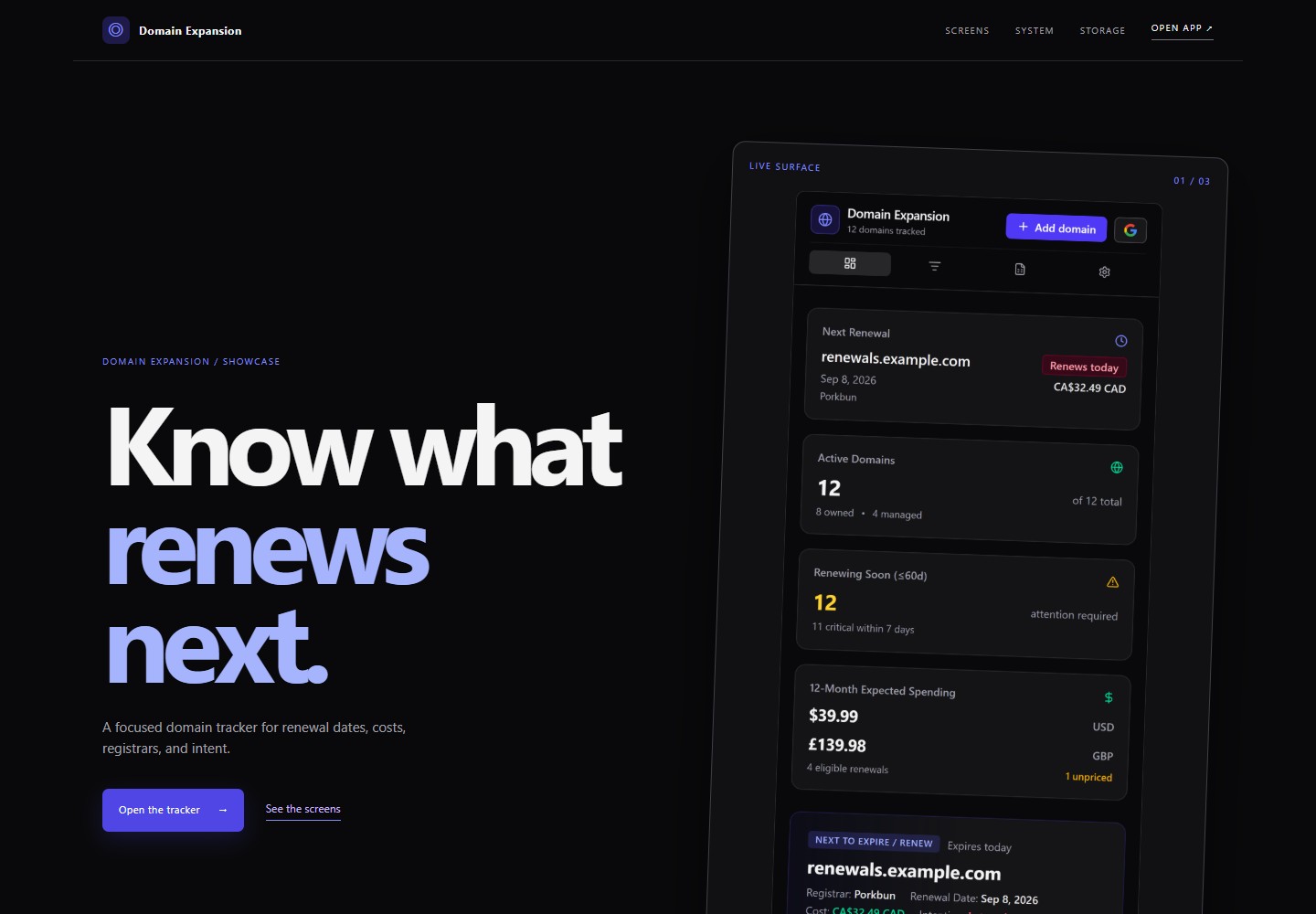
This is the type of thing you can make in this phase: a small app that brings domains, renewal dates, and costs into one place. I built it in Google AI Studio, then moved it into my normal development tools. The lessons in this phase come from making and trying it.
[Explore Domain Expansion](https://domain-expansion-ai-studio.vercel.app/showcase)
The Domain Expansion showcase, captured September 8, 2026.
From my projects / Domain Expansion
Start with something that bothers you
I had website domains spread across several registrars. Every time I wanted to know what renewed next or what it would cost, I had to check different websites and emails. Domain Expansion started with that annoyance: put my domains, renewal dates, and costs in one place.
I already knew the idea. The experiment was seeing how far a clear request could take it in Google AI Studio. I first asked an AI assistant to turn my rough description into a build prompt. Then I reviewed what it had added before giving the prompt to the builder. That is the same chat, review, then build path you can use here. Resolving the assumptions mattered more than the prompt's length.
Try it / Your idea
Describe the problem in three sentences
Write three sentences: what you keep doing the hard way, what you wish you could do instead, and one action that would prove the app helps. A hobby, a recurring chore, or a collection you care about gives you something concrete to judge.
> Help me turn this everyday problem into a prompt for my instant builder. Keep the first version small. Separate the main action from optional ideas, show me your assumptions, and let me review the prompt before building.
From my projects / Domain Expansion
The assumption I corrected before building
The first plan put user accounts and domain records in a central database. I did not want to maintain everybody's records. I asked for each person's data to stay with their own Google account, with extra permissions requested only when they used an optional feature. That changed the proposed architecture.
You can express a boundary like "I do not want to store other people's information" without knowing which database to choose. Ask the agent where the information would live and who could access it. My revised prompt requested that privacy model; the request itself was not proof that every storage and permission guarantee had been implemented correctly. Those claims need checks after building.
This was a decision for Domain Expansion. Your first app does not need Google integrations, sign-in, or a database just because mine requested them.
## Try the main action
Try the main action yourself. A button that changes the count or chooses a meal is enough for this milestone. If it does not work, tell the builder what you expected and what happened. Make one focused correction at a time. If the interface is confusing, ask your companion to explain the current step or help you choose another builder.
Try the main action on the phone or computer you will actually use. Describe what you did, what you expected, and what happened; ask for one focused correction if it fails.
Tell your agent when the app performs that behavior. A screenshot of a finished-looking page is different from a working action; you decide whether the action worked.
From my projects / Domain Expansion
Try it, then decide what deserves to stay
AI Studio gave me a tracker I could use immediately. I had also asked it to discover domain information from Gmail. That feature fell flat when I tried it. I removed it because the useful part of the app did not depend on searching my email.
The original prompt still contained Gmail discovery. The app I kept did not. That is a useful distinction: the prompt describes what you asked for; using the result tells you what actually works and what is worth continuing.
Try it / Your first build
Test your result with a real example
Use your main action with a real example. Describe what you entered, what you expected, and what happened. If something fails, decide with your agent whether it blocks the app's main job or is an optional convenience. Have the agent explain the tradeoff before you approve a cut. Keep essential privacy, safety, and data requirements even when they are difficult.
> Help me try this app's main job. Separate failures that block the core purpose from optional features. Propose one focused correction or scope change, and wait for my decision before removing anything.
## Choose what happens to this first build
Each choice is independent. Saying no is fine, and your companion records the choice.
- Do you want to save this app?
- Do you want to connect it to GitHub?
- Do you want to make it public?
- Do you want to work on it later?
Saving, connecting, publishing, and deploying are optional in Phase 1. Your agent should explain what a choice will expose or preserve before taking that action. Check the builder's current plan and sharing controls before accepting a purchase or public release.
## Extra credit: put your app online
**Do you feel confident enough in this idea to share a live version?** Deployment is extra credit for learners who are confident in what they made, comfortable with the app being public, and already have a usable way to continue building. Once your required apps and accounts are ready, a first working app is enough to finish Phase 1.
You can use a computer, an already working remote harness, connected deployment tools, or upload static website files directly from your phone. If the route you want is not ready, you can save this extra credit for later; Computer Setup can wait until Phase 2.
## Can I do the extra credit entirely from my phone?
Yes. For a small HTML/CSS/JavaScript site, follow [Deploy a static site to Cloudflare from your iPhone](https://starter.uppercut-labs.com/help/cloudflare-iphone). It walks through saving your agent's files, uploading the folder in Safari, and checking the public site, with screenshots from my test. Use any agent that can provide the files; this route does not need a Cloudflare connector or a computer.
Connected tools offer other routes. Your companion should check what is available in your conversation before choosing one:
- **ChatGPT:** connect Vercel and have your agent deploy the app after you approve the destination. To keep the source in a new GitHub repository, create an empty repository in GitHub Mobile, then return to ChatGPT with GitHub connected to save and commit the files. I tested that repository handoff separately from the deployment. Your computer does not need to be running.
- **Claude:** the [Vercel connector supports Claude mobile](https://claude.com/connectors/vercel). Connect it and have Claude check for a deployment tool. Vercel can deploy app files directly; this route does not need your computer. [Claude Code cloud](https://code.claude.com/docs/en/web-quickstart) is another option for working from a GitHub repository.
- **Cursor:** choose a **Cloud machine** in [Cursor's mobile workflow](https://cursor.com/docs/cloud-agent/mobile), with your repository and cloud environment ready. Enable Vercel through the [cloud agent's connected tools](https://cursor.com/docs/cloud-agent/capabilities#mcp-tools), or use hosting already connected to the repository. Use the supported iOS app or [Cursor in your phone browser](https://cursor.com/agents). Some connection setup happens in the web dashboard; your own computer can stay off.
These Claude and Cursor connector routes are based on provider documentation checked September 8, 2026; I have not repeated those connector deployment tests. Vercel is optional, and Cloudflare remains the pack's default. If you choose to save your source, confirm where it was saved: a live website alone is not a GitHub backup.
**If you choose Vercel:** after I saved my AI Studio project to GitHub, Vercel emailed me an offer to import it. That shortcut worked in my September 9 session. If you receive one, confirm it targets the right repository; otherwise use [Vercel's normal GitHub import](https://vercel.com/docs/git/vercel-for-github). You do not need to wait for an email.
From a completed session / Resample Studio Lite
Know which version you are testing
In my September 9 Phase 1 session, I shipped [Resample Studio Lite](https://resample-studio-lite.vercel.app), a varispeed audio tool. Testing playback on my iPhone caught a bug that needed a focused correction. I also added a small version footer so I could tell whether the latest release had arrived.
**Try this for your release:** ask your agent to add a visible version label and update it with each release. Open the public URL, check that the expected label is there, then try the main action on your device. The label identifies the release; the interaction tells you whether it works.
## Review and publish
**Do you want to deploy this app now?** If yes, tell your agent which working route you have. Review what will become public and approve the destination before it publishes. Publishing the app and making its source repository public are separate decisions; your private progress record stays private. Open the resulting live URL in a private browser tab while signed out, try the main action, and save the link with your progress. If it asks for a hosting login, have your agent help you check sharing settings. A preview URL or a successful build alone does not establish a working public release.
If access, setup, or deployment gets in the way, record the resume point and leave this extra credit for later. It never blocks Phase 1 completion or replaces the Phase 2 project.
Extra credit / Domain Expansion
Keep the useful work when you change tools
I decided this experiment was worth keeping. When the AI Studio publishing route asked me to enable Google Cloud billing, I declined that path, connected the project to GitHub, and used my normal harness to deploy it to Vercel. That was my route during this experiment; Cloudflare remains the default in this pack.
Extra credit / Domain Expansion
What happened after I put it online
The generated app still had mobile text overflow and awkward button positions. I had the harness use Puppeteer, a tool for operating a browser, to find and repair those problems. My roughly 45-minute Luna Max session was the testing and repair pass, not the total time to build the app. I was pleased with the layouts in the scenarios we checked; that does not establish that every integration worked.
The testing produced screenshots that became a showcase page. I had not planned that page at the beginning. Useful material came out of checking the work itself.
Try it / Optional continuation
Carry your work into the next tool
If you want to continue, ask your agent to preserve the source, record what works and what still fails, and explain the next hosting step before publishing. Changing tools should carry the project and its remaining work forward. You can also stop with your working first app. This continuation adds no Phase 1 requirement and does not replace your meaningful harness build in Phase 2.
## Save your place
Your agent checks the required steps, saves your place, and tells you when Phase 1 is complete. It does this when your last required action works, when you finish a session, and when you return. It uses the same requirements as your progress record and keeps optional choices separate; you do not need to ask whether you are finished or fill out a template yourself.
If your agent cannot save files for you, it returns the entire updated progress file as a download or copyable JSON. Save it somewhere you can find again, or copy the complete text into a note. Attach the file or paste the saved text when you return. The agent reuses what you already answered and only asks about a genuinely missing result.
You can finish entirely on your phone. A desktop, private GitHub progress repository, Workbench, development email, and deployment are not required. Once the required work is complete, your agent offers optional follow-through, a stopping point, or [Harness your power](https://starter.uppercut-labs.com/phases/2) when you have a computer. It does not start the next phase for you or reset a recorded completion when you return.
## Progress instructions
# Your private progress repository
Version: 0.2.0. Updated October 9, 2026. Your companion keeps this record for you; the website does not store it. During Phase 1 and the start of Phase 2 Computer Setup, use existing local or portable progress. A private repository is not required to graduate Phase 1 or begin installing the tools that enable GitHub access.
## Read progress in the local Workbench
At Computer Setup start, follow the [Workbench lifecycle](https://starter.uppercut-labs.com/artifacts/progress-workbench/README.md) to place the downloadable [index.html](https://starter.uppercut-labs.com/artifacts/progress-workbench/index.html) beside the existing canonical `starter-progress.json`. Create the HTML only if missing; preserve a customized viewer and existing progress, including unknown fields. The same progress file remains the source of truth. Do not make a second JSON state for the local view.
As soon as Python is verified, serve this exact absolute progress folder using the resolved interpreter with `-m http.server PORT --bind 127.0.0.1 --directory ABS_PROGRESS_FOLDER`. Use port 8000 first, then 8001 through 8010 if occupied. Inspect a running listener before reuse: it must serve the correct directory over loopback. Keep unrelated processes running, never expose a broader workspace or bind to the LAN, and follow the lifecycle for launch verification, process records, resume, and stop behavior. This is a private local view; the phone's localhost cannot address the computer's server.
After the agent saves progress, refresh the Workbench or allow the visible HTTP view to reload data on its five-second polling cycle. In file mode, select the saved JSON again to reload it. The Workbench is the default visualization, works before GitHub is ready, and never counts as a completion milestone or blocks a phase.
Hosting a protected copy is optional later work, lower priority than deploying the learner's instant app for extra credit. Follow [Workbench publishing](https://starter.uppercut-labs.com/setup/workbench-publishing.md), confirm the Access email, and publish only its allowlisted snapshot. Never upload the private progress repository root as a website.
## Remember account details once
After confirming the phone companion and GitHub Mobile, offer one optional checkpoint for the learner's GitHub username, development account email and any existing service handles they want remembered. Reuse details they already supplied. This checkpoint is not a completion requirement, and declining it does not stop setup.
Store confirmed handles in `artifacts.account_profile` with `github_username` (string or null), `service_usernames` (an object keyed by service), `status` (`recorded`, `declined` or `deferred`), and `notes` (an array). Preserve unknown fields and existing service handles when merging. Do not ask the intake again after a recorded decision; clarify a missing value only when the current task needs it.
Keep the primary development email in the existing `choices.development_email.account_email` field, not a second copy in the profile. A supplied development email does not automatically authorize using it for notifications or Cloudflare Access. At Computer Setup, ask only for still-unaddressed email purposes. Never infer identity from an example or from the author's account. These are personal details: keep them in private or portable learner progress, never in the public app or a public example. Passwords, tokens and recovery codes do not belong in this record.
## Record development email choices
At Computer Setup entry, ask one concise question if these choices are missing and have not already been declined or deferred: "Which email should we use for development accounts and notifications? You can use the same address for both." Store only values the learner explicitly confirms. Do not infer an email from Git author settings, change Git identity, or assume account and notification addresses match.
Merge this object into `choices.development_email`, preserving other choices and existing fields:
```json
{
"account_email": null,
"notification_email": null,
"access_email": null,
"service_overrides": {},
"notes": []
}
```
The account email is the default for development-service accounts; the notification email is the default destination for service notices. They may be the same with explicit confirmation. Preserve legacy string-valued `service_overrides` exactly, even when a value is a sign-in description rather than an email. Display a non-email value as a sign-in note, never an email link. Unanswered choices may remain null or absent; note a decline or deferral so another session does not ask again unnecessarily. These choices never block the curriculum. Ask about reusing an address for Access only when an optional protected deployment is relevant, then save the confirmed `access_email`. Keep real addresses in private learner progress, never public source or examples.
For new sign-in metadata, use `choices.service_auth` instead of putting OAuth descriptions into email fields. This synthetic fragment separates method, provider, handle, and confirmed email:
```json
{
"service_auth": {
"neon": {
"method": "oauth",
"provider": "github",
"account_handle": "example-learner",
"account_email": null,
"source": "learner_report"
}
}
}
```
An OAuth provider or handle does not establish an email address. Migrate a legacy description only when its meaning is explicit or the learner confirms it; otherwise retain it unchanged and leave the method unknown. Real `account_email`, `notification_email`, and `access_email` values must still be valid emails or null. Permission for one purpose does not authorize another.
## Move progress to GitHub during setup
As soon as authenticated GitHub write access is ready, create or confirm a private progress repository and save the existing state there. Computer Setup installs and authenticates Git and GitHub CLI when needed. If connected GitHub tools already provide the required access, use them immediately while completing the computer baseline separately.
Verify the target owner and private visibility before uploading. Reuse an existing private progress repository and reconcile its latest state with the local checkpoint; do not replace completed work with an empty template or overwrite newer remote changes. If the intended repository is public, choose or create a private progress repository rather than publishing progress there.
Before the first intended commit/push, follow the [authentication guide](https://starter.uppercut-labs.com/setup/authentication.md). Check the account and Git author identity without printing secrets. If needed, propose the learner's actual account-specific noreply address as a repository-local choice and obtain approval. Keep global Git identity and GitHub email protection unchanged; do not disable protection or rewrite shared history to bypass GH007. Prefer supported provider sign-in/consent rather than a phone credentials-file workaround.
Review the nonsecret files and actual diff, commit and push them, or save a commit through connected tools. Confirm the resulting revision and files on GitHub. Record the repository URL, branch, and checked result in the `private-progress-repository` step's notes; mark it completed only after the remote save succeeds. A local commit or empty private repository is not enough. Save the latest progress and setup results again before leaving Computer Setup. Keep this initial durable checkpoint distinct from `final-progress-save`, which confirms the Phase 2 closeout is saved too.
If authentication, repository creation, or remote saving fails, keep local or portable state with an exact resume action. Independent setup can continue and completed capability checks remain completed, but Quick Build must not begin until its canonical prerequisites, including private remote progress, are confirmed. On resume, inspect what succeeded and continue from that point.
## Create the template
1. Prepare a local progress folder, or reuse the existing one. Save this README there and use the [empty progress file](https://starter.uppercut-labs.com/artifacts/progress/starter-progress.json) as `starter-progress.json` only when no progress exists. Preserve existing progress if resuming.
2. Initialize missing `setup/computer.json` from the [setup state template](https://starter.uppercut-labs.com/setup/state.example.json). Use the [ignore template](https://starter.uppercut-labs.com/artifacts/progress/gitignore.txt) for `.gitignore`, preserving existing rules and setup results.
3. Create `artifacts/` for your nonsecret project notes and links. Keep this folder locally until GitHub access is ready, then follow the remote-save steps above. With no filesystem access, provide downloadable or copyable state until it can be saved to a computer.
The [schema](https://starter.uppercut-labs.com/schemas/starter-progress.schema.json) defines the format. The [safe example](https://starter.uppercut-labs.com/artifacts/progress/starter-progress.example.json) shows a phone session in progress; the [completed Phase 1 example](https://starter.uppercut-labs.com/artifacts/progress/starter-progress.completed-phase-1.example.json) illustrates a synthetic phone-only closeout. Examples are not evidence about a learner. Use actual timestamps when saving, and keep `starter_pack_version` associated with the resources you used.
## Requirements and older records
Read the [canonical requirements](https://starter.uppercut-labs.com/agent/requirements.json), or the matching generated definitions in a supplied packet. This release uses version `0.2.0` and requirements revision `2026-10-09`. Evaluate only the relevant phase's gate and its referenced groups, prerequisites, completion meanings, and accepted evidence. `all_of` means every member; `any_of` means a qualifying choice, not all alternatives. These are registry expressions, not JSON Schema validation keywords. Do not infer gates from labels, counts, or optional preferences or maintain a separate curriculum checklist.
Retain the original data while reconciling known IDs:
- `instant-app` is an alias for `instant-build`; keep original notes and provenance without counting it twice.
- `authenticator` is a retired Phase 1 checkpoint, **not a current requirement**. Preserve older learner records without turning this historical step into a gate, blocker, or repeated prompt. Provider-specific account verification is handled privately through the provider's supported flow.
- `github`, `cloudflare`, `neon`, and `instant-builder` belong to the core-account group. A completed historical `core-accounts` aggregate can be recognized without fabricating missing child records. Explicit conflicting child evidence needs reconciliation, not an automatic pass.
- `phase-2-project` is a historical aggregate, not an alias for both `quick-build` and `live-deployment`. Carry its evidence forward; ask only for genuinely missing behavior evidence. A URL or HTTP 200 alone is insufficient.
- Keep unknown steps and fields. A custom step with a valid phase belongs there; an unassigned one remains additional work, not a new gate. Retain conflicting aliases/duplicates and surface the conflict instead of overwriting whichever timestamp is older.
Keep recorded activity counts distinct from required outcomes. A selected builder does not leave every alternative unfinished. Omitted or declined email choices and an unavailable Workbench do not block setup or graduation. Network readiness, Tailscale on each device, each file direction, and actual harness control have independent evidence. `environment.remote_access_ready` reflects verified harness interaction, not just an installed network client. A learner correction about one device is not proof of an untested transfer.
## Close a phase without waiting to be asked
Run this protocol after the last apparent required outcome, at session close, and on resume. Do it quietly; do not invent a new graduation ceremony for the learner.
1. Load the journey's requirements revision and current phase definitions. Reconcile aliases and existing evidence. Clear learner reports count as reports; do not claim to have performed their tests. If the needed definitions are unavailable, use the matching supplied packet or exact fallback resources, not guessed requirements.
2. Resolve only missing or conflicting required outcomes. Ask one focused question if evidence is needed. Do not repeat successful tests or answered/declined optional intake.
3. Reconcile `phase.status`, `choices.workbench.next_step_id`, resolved step `blocker`/`next_action` fields, and any legacy `artifacts.next_action`. Remove a stale required pointer to completed work; preserve unresolved optional work as optional. Keep setup capability state and `environment.remote_access_ready` consistent with their own evidence. Preserve historical notes and unknown data.
4. Prepare an updated full record and a history entry in `artifacts.phase_history`, an array. Each newly confirmed completion uses `phase`, `status: "completed"`, `requirements_revision`, actual `recorded_at`, concise `evidence_summary`, and `source`. Keep `phase.current` on the completed phase until the learner chooses the next one. Use actual observed completion times; omit unknown old times instead of inventing them.
5. Validate writer output against the schema before saving. Use a temporary sibling file and atomic replacement when the filesystem supports it, preserving the previous valid record if validation or writing fails. In phone chat without filesystem access, return the entire updated JSON as a download or copyable block; a patch fragment or hidden chat memory is not a portable save. Say that the learner must retain the file, not that an inaccessible disk or repository was updated.
6. For Phase 2, complete the final private save protocol below before announcing durable completion. Phase 1 never requires a private repository, desktop, Workbench, email preferences, or deployment. If a private repository is already available and saving is authorized, preserve the closeout there too without turning a temporary save failure into a new Phase 1 gate.
7. State completion plainly, identify where progress is actually saved, and offer the next phase or a stopping point without beginning it automatically. Phase 3 is a preview, not an automatically certifiable graduation.
### History and repeat checks
Do not append a second completed entry for the same phase and requirements revision, reset counters, repeat celebrations, or commit an empty diff on resume. Reconcile stale pointers once, then return the existing outcome. `phase.current` being numerically later does not prove an earlier graduation.
An older valid graduation retains its original requirements revision, evidence, and recorded time. If the revision or completion time was never recorded, leave it unknown and explain that provenance; never backfill today's revision as if it governed the old journey. Newly introduced requirements are a targeted update checklist, not grounds to silently revoke historical completion or restart the build. On an explicitly chosen next phase, evaluate that phase's current requirements.
Repairs to actual private learner state are a separate authorized operation: preserve originals and reports, reconcile remote changes, propose a dated correction with a reviewable diff, and apply only after approval. Keep learner-reported corrections distinct from independent tests. Product examples do not authorize repairing personal state.
### Final private save and interruption
`private-progress-repository` establishes the earlier private remote checkpoint. `final-progress-save` is the later confirmation that the intended final progress and setup/closeout files have reached that private remote. An earlier push alone cannot pass this final outcome.
Review the target owner, visibility, latest remote state, and intended diff. Prepare the final completion candidate with the already-observed evidence, then commit/push the intended files and verify that exact revision and file contents remotely. Treat the candidate as pending until that verification succeeds; do not announce completion just because a local candidate says completed. A progress file may cite a previously observed revision; report the final SHA outside the file. Do not keep rewriting the file to contain its own commit SHA.
If the final save fails or its result is uncertain, retain the build, source, live-test evidence, and local checkpoint. Keep `final-progress-save` in progress with an exact nonsecret blocker and recovery action, and keep the current unconfirmed phase closeout in progress. Retain the proposed completion evidence under `artifacts.pending_closeout` if useful; do not append an unconfirmed completed history entry. If a completion candidate was already written locally, restore only that candidate's pending status and retain its evidence. Never revoke a previously verified historical completion. Tell the learner what is saved locally and what is not yet confirmed on GitHub.
On resume, first check whether the attempted save actually reached the remote; reconcile the observed candidate and local pending state before retrying. Once saved and verified, keep one confirmed completion entry and clear the pending action. Do not rebuild, replay unrelated successful checks, lose the original reports, or enter an empty-commit/recursive-SHA loop.
## Handoff and lightweight session notes
Before switching devices or agents, provide canonical progress or its private location, completed required outcomes, genuine blockers, selected optional branches, the computer harness separately from the phone companion, one exact next action, and the schema/resource/requirements revisions with focused references. Preserve answered or declined choices. A new agent must inspect and merge the existing record; chats do not automatically transfer across providers.
Make the companion available in Phase 1, Computer Setup at setup entry, and Quick Build plus its planning templates before the Phase 2 interview. Record the source/version used and whether a skill is supplied as `context_only` or confirmed `native_discovered` using the harness's supported discovery behavior. Copying Markdown into an arbitrary directory is not installation proof. Full skill theory, large engineering bundles, and AFK orchestration remain optional later work.
At the first harness build, keep a short private Markdown session report. For consequential friction, record the date and relevant OS/harness/resource versions, attempted action, observed result, cause hypothesis labeled as a hypothesis, workaround, actual verification, and unresolved next action. Mark an `expert_intervention` when a beginner likely could not devise the rescue, and whether it should become general guidance. Use `not_tested` when evidence is absent. Append later corrections; do not rewrite old reports or describe ordinary Git history as tamper-proof. No logging service is required and no secrets belong in the report.
## Step statuses
- `not_started`: no work has begun.
- `in_progress`: work began and still needs action.
- `completed`: the stated completion condition was met; notes identify learner reports or agent checks accurately.
- `skipped`: the learner declined an optional action.
- `deferred`: work is saved for later, with a resume point.
- `not_applicable`: a conditional branch does not apply, with the reason recorded.
Required steps marked deferred, skipped, or not applicable do not count as complete. Overall phase status is `not_started`, `in_progress`, or `completed`. Phase 3 remains a curriculum preview.
Phase 1 deployment is extra credit. If offered, record it as `phase-1-deployment-extra-credit`: `skipped` when declined, `deferred` when accepted but postponed, or `completed` only after the live app's main action is verified. Keep the route, destination, visibility decision, and live link in nonsecret notes. Skipped or deferred extra credit does not prevent Phase 1 completion and does not satisfy the Phase 2 project milestone.
## What to record
Keep nonsecret choices, completed actions, project links, blockers, and the next action. Never store passwords, API keys, access tokens, recovery codes, cookies, connection strings, private keys, or environment-file contents. Store credentials in a password manager or the provider's supported secret store. A private repository still needs this boundary.
On a failed step, keep prior progress and record the safe resume point. On a new session, load the existing file instead of resetting it. With no filesystem access, provide the learner the updated JSON to copy or download. Before each commit, inspect the actual diff; ignore rules are only a first filter.
## Empty progress template (only when no saved progress exists)
{
"schema_version": 1,
"starter_pack_version": "0.2.0",
"updated_at": "2026-10-09T00:00:00Z",
"environment": {
"device": "phone",
"os": null,
"harness": "unknown_until_detected",
"remote_access_ready": false
},
"phase": {
"current": "phase-1",
"status": "not_started",
"requirements_revision": "2026-10-09"
},
"steps": {},
"choices": {},
"artifacts": {"phase_history": []}
}
## Progress schema
{
"$schema": "https://json-schema.org/draft/2020-12/schema",
"$id": "https://starter.devthomas.site/schemas/starter-progress.schema.json",
"title": "Starter Pack Progress",
"type": "object",
"required": [
"schema_version",
"starter_pack_version",
"phase",
"steps",
"updated_at"
],
"properties": {
"schema_version": {
"type": "integer",
"const": 1
},
"starter_pack_version": {
"type": "string"
},
"updated_at": {
"type": "string",
"format": "date-time"
},
"environment": {
"type": "object",
"properties": {
"device": {
"type": "string"
},
"os": {
"type": [
"string",
"null"
]
},
"harness": {
"type": [
"string",
"null"
]
},
"remote_access_ready": {
"type": "boolean"
}
},
"additionalProperties": true
},
"phase": {
"type": "object",
"required": [
"current",
"status"
],
"properties": {
"current": {
"enum": [
"phase-1",
"phase-2",
"phase-3"
]
},
"status": {
"enum": [
"not_started",
"in_progress",
"completed"
]
},
"requirements_revision": {
"type": "string"
},
"completed_at": {
"type": "string",
"format": "date-time"
}
},
"additionalProperties": true
},
"steps": {
"type": "object",
"additionalProperties": {
"type": "object",
"required": [
"status"
],
"properties": {
"phase": {
"enum": [
"phase-1",
"phase-2",
"phase-3"
]
},
"next_action": {
"type": "string"
},
"blocker": {
"type": "string"
},
"status": {
"enum": [
"not_started",
"in_progress",
"completed",
"skipped",
"deferred",
"not_applicable"
]
},
"updated_at": {
"type": "string",
"format": "date-time"
},
"notes": {
"type": "array",
"items": {
"type": "string"
}
}
},
"additionalProperties": true
}
},
"choices": {
"type": "object",
"properties": {
"development_email": {
"type": "object",
"properties": {
"account_email": {
"type": [
"string",
"null"
],
"format": "email"
},
"notification_email": {
"type": [
"string",
"null"
],
"format": "email"
},
"access_email": {
"type": [
"string",
"null"
],
"format": "email"
},
"service_overrides": {
"type": "object",
"additionalProperties": {
"type": "string"
}
},
"notes": {
"type": "array",
"items": {
"type": "string"
}
}
},
"additionalProperties": true
},
"service_auth": {
"type": "object",
"additionalProperties": {
"type": "object",
"properties": {
"method": {
"type": "string"
},
"provider": {
"type": "string"
},
"account_handle": {
"type": [
"string",
"null"
]
},
"account_email": {
"type": [
"string",
"null"
],
"format": "email"
},
"source": {
"type": "string"
},
"notes": {
"type": "array",
"items": {
"type": "string"
}
}
},
"additionalProperties": true
}
},
"workbench": {
"type": "object",
"properties": {
"learner_name": {
"type": "string"
},
"next_step_id": {
"type": [
"string",
"null"
]
}
},
"additionalProperties": true
}
},
"additionalProperties": true
},
"artifacts": {
"type": "object",
"properties": {
"account_profile": {
"type": "object",
"properties": {
"github_username": {
"type": [
"string",
"null"
]
},
"service_usernames": {
"type": "object",
"additionalProperties": {
"type": "string"
}
},
"status": {
"enum": [
"recorded",
"declined",
"deferred"
]
},
"notes": {
"type": "array",
"items": {
"type": "string"
}
}
},
"additionalProperties": true
},
"phase_history": {
"type": "array",
"items": {
"type": "object",
"required": [
"phase",
"status",
"requirements_revision",
"source"
],
"properties": {
"phase": {
"enum": [
"phase-1",
"phase-2",
"phase-3"
]
},
"status": {
"enum": [
"not_started",
"in_progress",
"completed"
]
},
"recorded_at": {
"type": "string",
"format": "date-time"
},
"requirements_revision": {
"type": "string"
},
"evidence_summary": {
"type": "string"
},
"source": {
"type": "string"
}
},
"additionalProperties": true
}
},
"programmatic_harness": {
"$ref": "#/$defs/programmaticHarnessEvidence"
}
},
"additionalProperties": true
}
},
"additionalProperties": true,
"$defs": {
"programmaticHarnessEvidence": {
"type": "object",
"additionalProperties": false,
"required": [
"attempts"
],
"properties": {
"attempts": {
"type": "array",
"maxItems": 16,
"items": {
"type": "object",
"additionalProperties": false,
"required": [
"provider",
"target",
"outcome"
],
"properties": {
"provider": {
"enum": [
"codex",
"cursor"
]
},
"target": {
"enum": [
"local",
"cloud"
]
},
"outcome": {
"enum": [
"not_tested",
"declined",
"deferred",
"partial",
"failed",
"passed"
]
},
"runtime_version": {
"type": "string",
"pattern": "^[0-9]+\\.[0-9]+\\.[0-9]+$",
"maxLength": 32
},
"auth_mode": {
"enum": [
"managed_chatgpt",
"provider_managed"
]
},
"verified_at": {
"type": "string",
"format": "date-time"
},
"first_file_verified": {
"type": "boolean"
},
"second_file_verified": {
"type": "boolean"
},
"same_session_resumed": {
"type": "boolean"
},
"next_action": {
"enum": [
"sign_in",
"update_runtime",
"retry_local",
"return_to_curriculum",
"await_release",
"separate_cloud_opt_in"
]
}
},
"allOf": [
{
"if": {
"properties": {
"provider": {
"const": "codex"
}
}
},
"then": {
"properties": {
"target": {
"const": "local"
},
"auth_mode": {
"const": "managed_chatgpt"
}
}
}
},
{
"if": {
"properties": {
"outcome": {
"const": "passed"
}
}
},
"then": {
"required": [
"verified_at",
"first_file_verified",
"second_file_verified",
"same_session_resumed"
],
"properties": {
"first_file_verified": {
"const": true
},
"second_file_verified": {
"const": true
},
"same_session_resumed": {
"const": true
}
}
}
}
]
}
}
}
}
}
}
End of instruction packet. Begin or resume from the learner's actual progress, one action at a time.